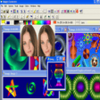
Beginner-friendly photo editor for quick image cleanup, basic adjustments, and simple text or graphic additions
Beginner-friendly photo editor for quick image cleanup, basic adjustments, and simple text or graphic additions
Vote (59 votes)
Program license Trial version
Developer IN MEDIA KG
Version 2022
Works under Windows
Vote
(59 votes)
Developer
IN MEDIA KG
Works under
Windows
Program license
Trial version
Version
2022
Pros
- Intuitive and beginner-friendly interface
- Wide range of basic editing tools
- Supports major photo formats
- Useful batch processing and collage features
- Low system requirements
Cons
- Lacks advanced editing tools (layers, masking, etc.)
- Limited creative control for experienced users
- Some features restricted in the free version
A user-friendly photo editor with essential tools for quick image enhancements.
Overview of FotoWorks XL 2
FotoWorks XL 2 is a photo editing application designed for Windows users who prefer straightforward tools for managing and enhancing their images. Tailored for beginners and casual users, it provides a clean interface and a collection of core editing features that make basic adjustments both quick and intuitive.
Interface and Usability
The layout of FotoWorks XL 2 favors ease of navigation, with well-organized menus and controls. Editing tools such as brightness, contrast, color balance, and saturation adjustments are accessible through clearly labelled sliders. This single-window approach reduces confusion and allows users to see changes in real time. The software also supports a broad range of popular photo formats, simplifying the import and export process.
Editing Features
FotoWorks XL 2 covers the essentials of photo enhancement. Users can crop, resize, and rotate images with simple commands. There is also an undo/redo history, enabling corrections without risk to the original photo. The software includes a useful selection of filters and effects, from classic black-and-white to sepia or painterly overlays. These are applied through a few clicks, making creative experimentation approachable.
Adding text and clipart is straightforward. Users can overlay captions, use various fonts, and position elements accurately. Borders and frames are included for additional creative touches, and red-eye correction tools address common flaws in portrait images.
Advanced Capabilities
While FotoWorks XL 2 is targeted at beginners, it does offer some more advanced functions. Batch processing is available, which allows basic adjustments to be applied to multiple photos at once. There are also options for photo collages and montages, useful for assembling themed galleries or greeting cards. Printing features include layouts for albums, calendars, and posters.
Performance
The application is light on system resources, resulting in quick startup times and minimal lag during operations. Edits are applied efficiently, even on lower-spec PCs. FotoWorks XL 2 does not require an active internet connection for most functions, keeping image editing private and secure on the user's device.
Limitations
Professional photographers or graphic designers may find FotoWorks XL 2 lacking in high-end features. There are limited tools for advanced retouching, precise selections, or working with layers. Additionally, while the built-in effects and filters suit beginners, the flexibility and depth offered by more sophisticated software is absent.
Summary
FotoWorks XL 2 succeeds as an entry-level photo editing solution for Windows users. Its focus on accessibility, speed, and essential tools make it suitable for quick edits and everyday photo touch-ups. Those in need of comprehensive editing capabilities may want to consider alternatives, but for the average user, it provides a practical and approachable toolkit.
Pros
- Intuitive and beginner-friendly interface
- Wide range of basic editing tools
- Supports major photo formats
- Useful batch processing and collage features
- Low system requirements
Cons
- Lacks advanced editing tools (layers, masking, etc.)
- Limited creative control for experienced users
- Some features restricted in the free version